
How a Solo Developer Reviews a GitHub PR and Verifies the Fix
A step-by-step walkthrough for solo developers: connect CodePeel to a private repo, read a line-anchored PR finding, inspect the paired auto-fix PR, and verify the patch before merging.
When you ship solo, nobody else is going to open your pull request before you hit merge. That works for styling tweaks, and breaks down on authorization checks, parameterized queries, and webhook error handling.
Key Takeaways
- Zero-key GitHub setup: Install the CodePeel GitHub App on unlimited public or private repositories — the Starter plan includes 30 full reviews a month with no API key.
- Line-anchored findings, not summary noise: Findings land on the exact changed line with a
problemCodeandfixCodepair rather than a long wall of formatting nits.- Paired fix PRs target your feature branch: On Pro and Max, CodePeel opens a separate fix pull request (
codepeel/fix-pr-*) against your working branch so CI runs before you merge.- Human verification stays mandatory: Diff-scoped review does not index unchanged files, so you still need to run tests and check cross-file callers before merging.
A paired fix PR workflow combines automated GitHub pull request review with a separate remediation pull request targeting your feature branch. Instead of copying code snippets out of review comments by hand, you inspect a clean diff, let CI run against the patch, and merge when satisfied.
This walkthrough traces that exact workflow step by step using the public PR-review demo, from connecting a repository to verifying the proposed fix before merge.
1. Connect the GitHub App on public or private repos
CodePeel installs as a standard GitHub App with no external API key or YAML configuration required. Unlike tools that restrict free tiers to open-source repositories, CodePeel's free Starter plan covers unlimited public and private repositories (30 reviews/month) using the same bug, security, and design engine.
Once you grant repository access, every new pull request or push to an open pull request triggers a review pass automatically.
2. Read the line-anchored finding on your pull request
CodePeel filters out style-only nits and posts findings directly on the affected lines of your diff. In the public PR-review demo, PR #14 (feat/order-refund-webhook) introduces an order lookup helper in src/db/orders.ts:
// src/db/orders.ts:42
const res = await client.query(`SELECT * FROM orders WHERE id = '${orderId}'`);
Because orderId is interpolated directly into the SQL string, a crafted request parameter can alter the query predicate (CWE-89: SQL Injection). CodePeel anchors a single Critical finding on line 42 with a parameterized replacement:
const res = await client.query('SELECT * FROM orders WHERE id = $1', [orderId]);
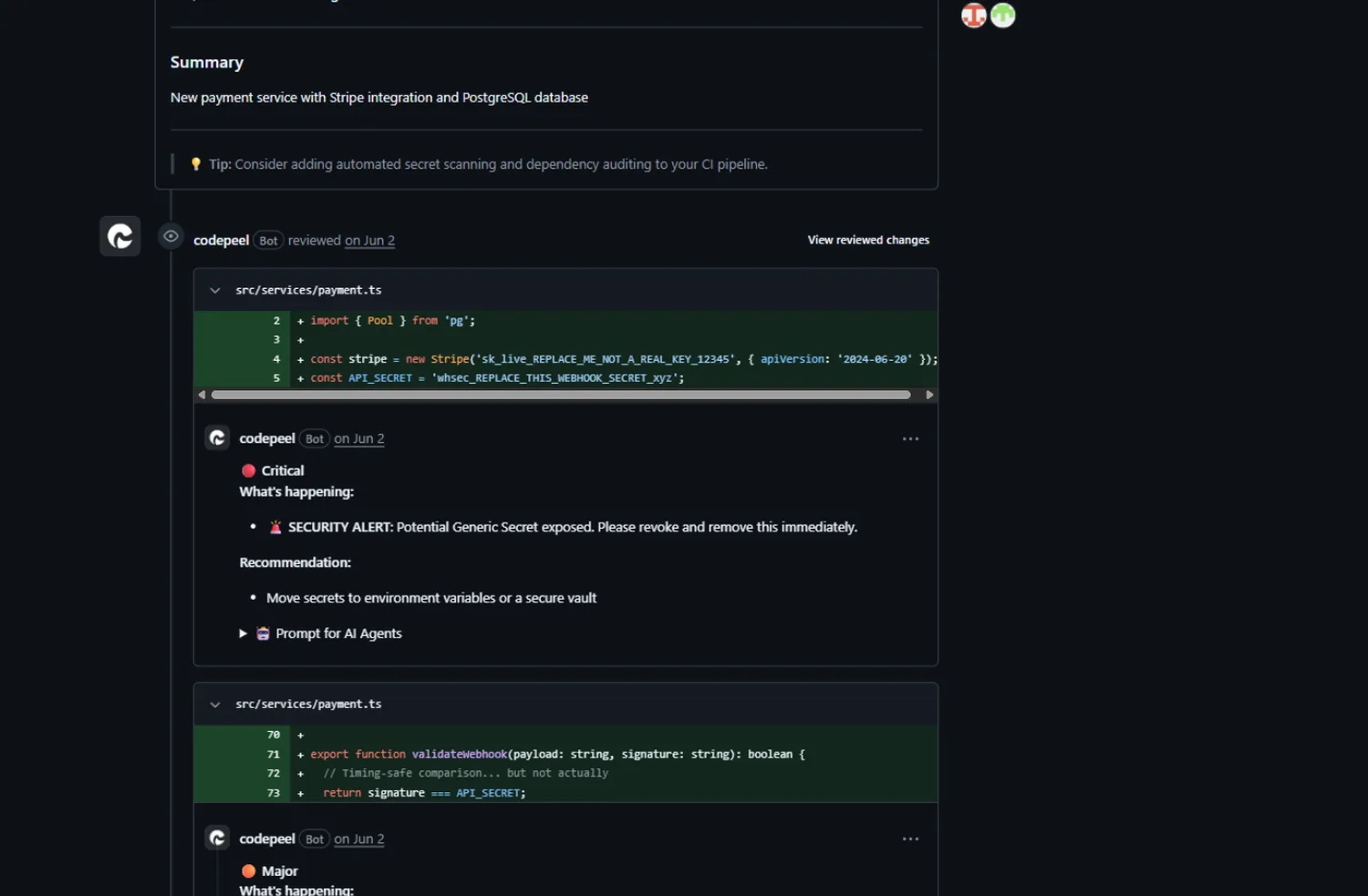
Alongside the SQL injection finding, the same demo PR catches a missing resource ownership check in src/api/refund.ts:19 (CWE-639: Authorization Bypass Through User-Controlled Key) and an unhandled async rejection in src/webhooks/stripe.ts:28.
3. Inspect the paired auto-fix PR (or apply locally)
On Pro and Max plans with auto-fix enabled, CodePeel groups fixable findings by file, rewrites the full file buffer to prevent line-offset collisions, and opens a separate pull request (codepeel/fix-pr-14) targeting feat/order-refund-webhook — never main. You can read the full commit-assembly mechanics in How Auto-Fix PR Generation Works End to End.
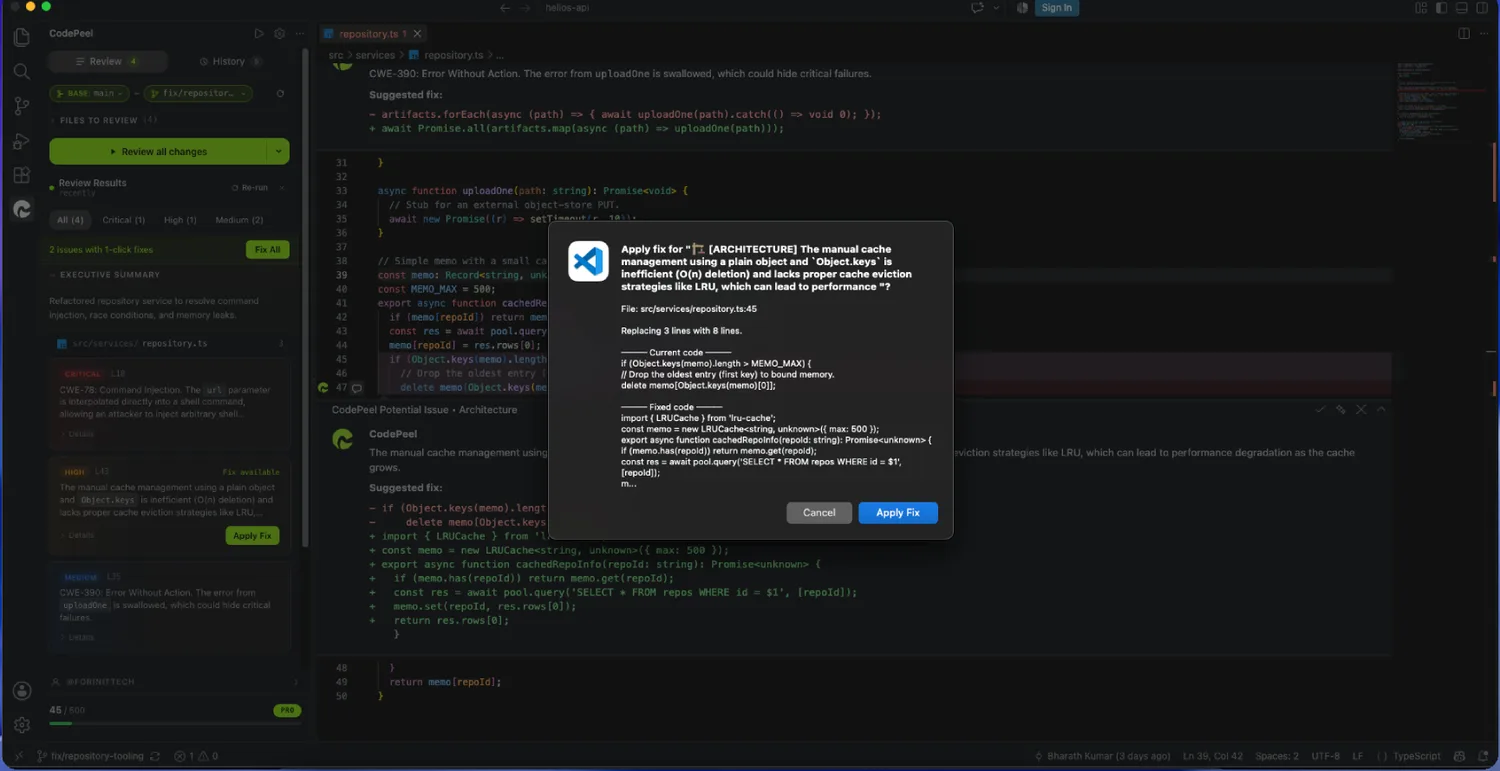
If you are on the Starter (free) plan, you receive the exact same inline fixCode snippet on GitHub, and you can apply it directly in VS Code or via the CodePeel MCP server inside Claude Code, Cursor, or Windsurf.
4. Verify the proposed fix before merging
Automated patches save typing, not engineering judgment. Run this four-point check before merging a paired fix PR into your feature branch:
| Check | What to verify | Why it matters |
|---|---|---|
| Diff scope | Confirm the patch preserves types, error handling, and return shapes | Full-buffer rewrites can occasionally alter adjacent formatting or error paths |
| CI status | Wait for unit and integration tests on the fix branch | Because the fix PR targets your feature branch, existing CI checks validate the patch |
| Cross-file callers | Check helper functions called inside loops or shared services | Diff-scoped review does not index unchanged files — e.g. the cross-file N+1 query missed in the demo results table |
| Authorization assumptions | Verify user/tenant IDs match your middleware conventions | Automated guards need to match the exact session or auth context in your app |
Frequently asked questions
Does CodePeel's free plan work on private repositories?
Yes. The Starter plan includes 30 reviews per month across unlimited public and private repositories, with no API key required.
Does an auto-fix PR ever commit directly to main?
No. Paired auto-fix PRs always target the pull request's feature branch (for example, codepeel/fix-pr-14 into feat/order-refund-webhook), so your branch protection rules and CI checks run before anything reaches main.
What kinds of bugs can a diff-scoped reviewer miss?
Because CodePeel reviews the PR diff and surrounding file context rather than maintaining a full-repository call graph, regressions that span unchanged helper files — such as a loop calling an external query helper in another module — can slip through. See the honest miss example in the public PR-review demo and our benchmarking methodology.
Next steps
- Inspect the interactive PR #14 finding, paired Fix PR #15, and 4-case results table on the public demo page.
- Compare Starter, Pro, and Max capabilities on the free plan page.
- Read AI Code Review for Solo Developers for broader solo-workflow practices.