
AI code review for Windsurf projects
Windsurf moves from idea to implementation in one flow. CodePeel adds the independent review pass — critical bugs, security issues, and design flaws checked over MCP before anything is committed.
Updated October 2026 · Written by the CodePeel team · Setup takes minutes; the MCP details link to the full docs.
The independent pass agentic coding needs
Windsurf and CodePeel play different positions: the agent produces the change, CodePeel reviews it independently. Three things that gives you:
Independent review of agent output
The review has no stake in the change it is reading. Critical bugs, security issues, and design risks get checked by an engine that did not write the code it is judging.
OWASP-focused security scanning
SQL injection, XSS, exposed credentials, unsafe input — the security pass checks every generated change against CWE-classified patterns before it reaches a branch.
Same account everywhere
GitHub pull requests, the VS Code extension, and the MCP server share one account and one review allowance — Windsurf reviews draw from the same pool.
Setup: four steps
- Create an MCP token in CodePeel — Settings → MCP Tokens — then add the server in Windsurf MCP settings (
npx -y @codepeelai/codepeelwithCODEPEEL_TOKENset). - Build with Cascade or manual edits as usual.
- Ask Windsurf to run a CodePeel review on the current changes.
- Read findings, apply suggested fixes, and let the GitHub App review the PR.
Configuration details live in the MCP setup guide.
What the review catches in Cascade output
Agentic changes arrive finished. The review checks what finished left out:
Missing error and loading states
Generated modules usually ship the happy path. The review walks each external call and flags the states Cascade did not write.
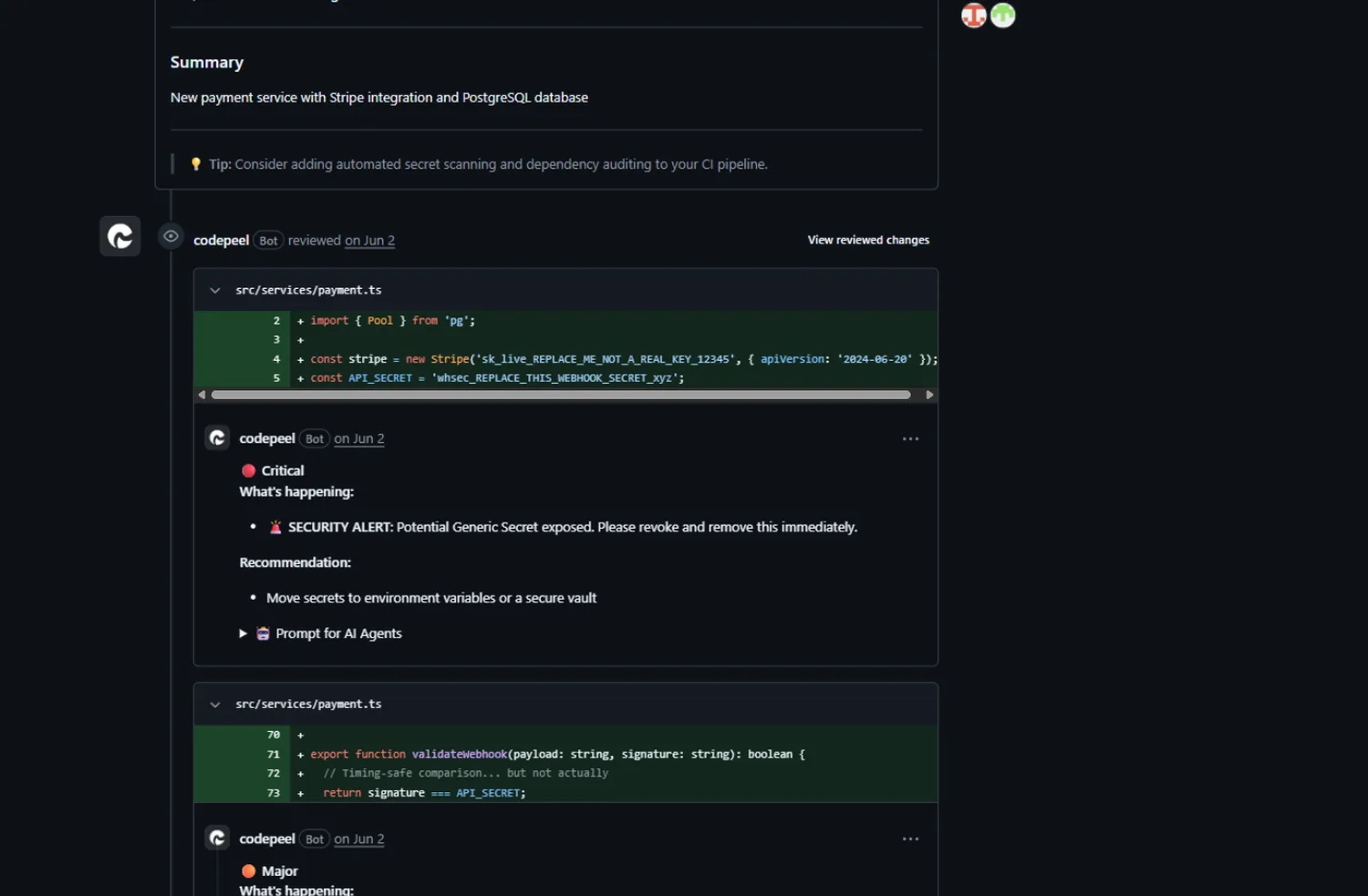
Secrets and unsafe input handling
Config files, environment samples and inline credentials are checked with the same deterministic patterns used on pull requests.
Drift from your conventions
Repository learnings tune the review to your patterns, so generated code that ignores them is flagged with reference to how your codebase does it.
Honest limits
So you can plan around it:
It reviews changes, not intentions
The review sees the diff and its context. If Cascade was pointed at the wrong goal, the reviewer can only flag what the wrong goal produced.
Learnings take a few reviews
Repository tuning improves as the review sees more of your changes. The first review is generic; the tenth is yours.
Verify before you act
Findings are reasons to investigate, not verdicts. The merge decision stays with you, your tests, and your reviewers.
Frequently asked questions
How does Windsurf connect?
Through the CodePeel MCP server — add it in Windsurf MCP settings with a token or OAuth, and the review tools appear to Cascade like any other tool.
Are the findings the same as on GitHub?
Same engine, same severity model. The surface differs, the analysis does not.
Does one account cover everything?
Yes — GitHub pull requests, the VS Code extension, MCP clients like Windsurf, all share one allowance.
More comparisons and guides
- Automate your GitHub code reviews — Where the automatic PR pass fits an agentic workflow.
- Reviewing AI-generated code: the checklist — What to verify before merging Cascade-written changes.
- Best AI code review tools (2026) — All eight tools in one pricing table, weaknesses included.
Ship the flow. Not the bugs.
Free, on your own repos — the same review engine on MCP, in the editor, and on every pull request.